Knowledge Bytes | Local AI Models

Simon Guest

2026-04-17

Learning Objectives

  • The case for running AI models locally
  • Hardware requirements
  • Discovering and running models
  • How models are optimized for local hardware
  • Benchmarks

Why Local AI?

Why Local AI?

  • Privacy
    • Every call to ChatGPT or Claude may get logged and/or be used for training purposes
    • Many organizations don’t want their customer/financial data logged with an AI vendor
    • There may also be legal regulations/restrictions

Why Local AI?

  • Offline
    • Every call you make to ChatGPT or Claude needs an Internet connection
    • That’s not always guaranteed!
    • e..g, a remote school in India and/or rural districts here in the US

Why Local AI?

  • Latency
    • Even with a network connection, calls can suffer from increased latency
    • Especially if your application needs frequent, quick responses
    • e.g., using a VLM on a video stream for a user with vision impairments

Why Local AI?

  • Cost
    • While per-API costs are fractions of a cent, these can grow out of control with exponential growth
    • More pronounced for long conversation threads
    • Or agents with verbose tool call requests/responses

What’s Your Hardware?

What’s Your Hardware?

  • NVIDIA GPU
  • AMD GPU
  • Apple Silicon
  • NPU (Neural Processing Unit)
  • CPU

NVIDIA CUDA

  • CUDA (Compute Unified Device Architecture)
    • Launched in 2006 to introduce programming on GPUs (GPGPUs or General Purpose GPUs)
    • A C-like programming interface
    • Perfectly timed for the deep learning revolution of the 2010s
    • Additional libraries (e.g., cuBLAS, cuDNN) make CUDA the de facto standard today

NVIDIA CUDA - Hardware Support

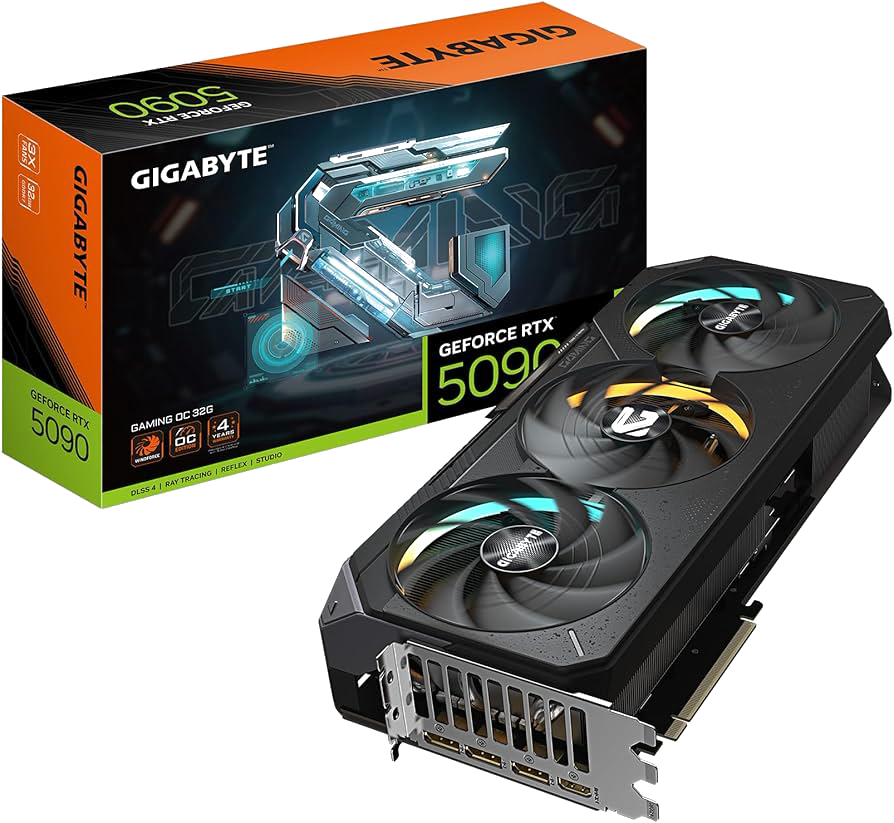
  • RTX 40- and 50- series cards
  • RTX 30- series still used in education
  • 8GB - 32GB VRAM
  • RTX 40- and 50- series laptops (although thermal throttled)
NVIDIA CUDA - Hardware Support
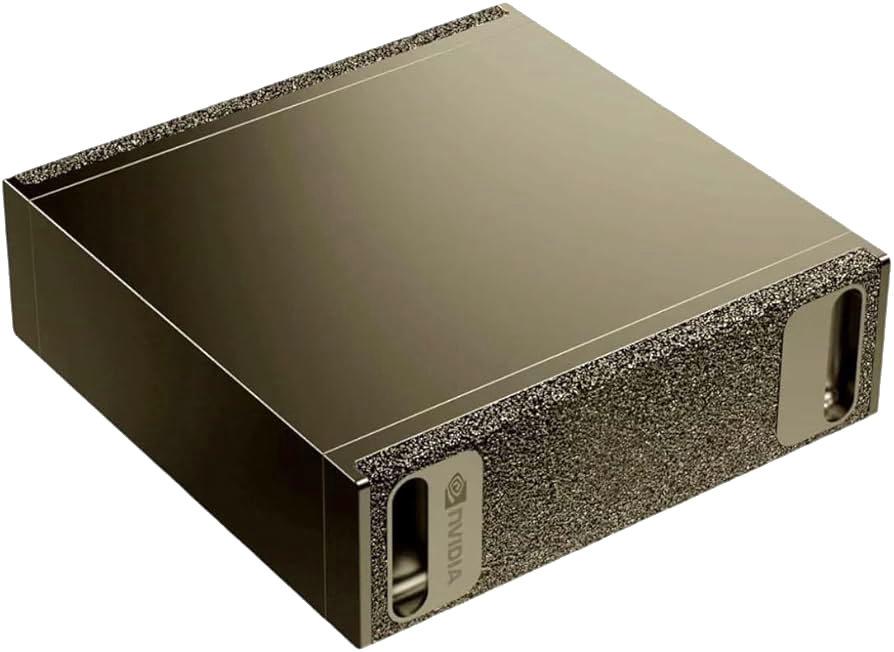
  • DGX Spark
    • Launched in 2025
    • NVIDIA GB10 Blackwell GPU
    • 128GB of unified memory
    • 4TB NVMe SSD
    • Well suited for fine-tuning open-source models
    • Multiple vendors (MSI, ASUS, DELL)

AMD ROCm

  • ROCm (Radeon Open Compute)
    • Launched in 2016 as an open-source alternative to CUDA
    • Embraced open standards (e.g., OpenCL), but fragmentation initially hurt adoption
    • Has evolved significantly since (e.g., rocBLAS) although ecosystem gaps compared to CUDA

AMD ROCm - Hardware Support

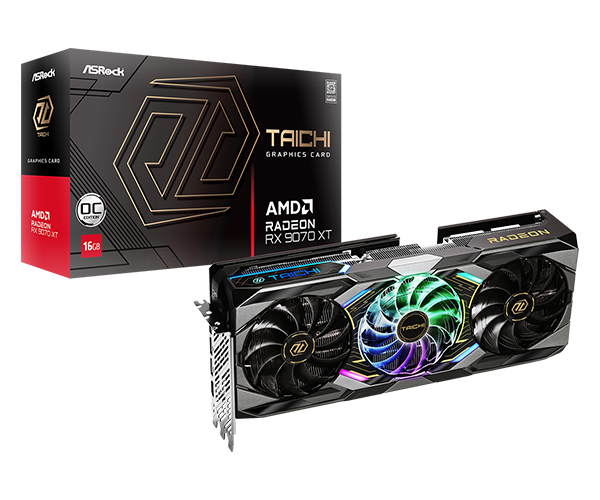
  • RX70- and 90- series
  • 8GB - 32GB VRAM
  • Competitive prices compared to NVIDIA RTX
  • But limited libraries compared to CUDA
AMD ROCm - Hardware Support
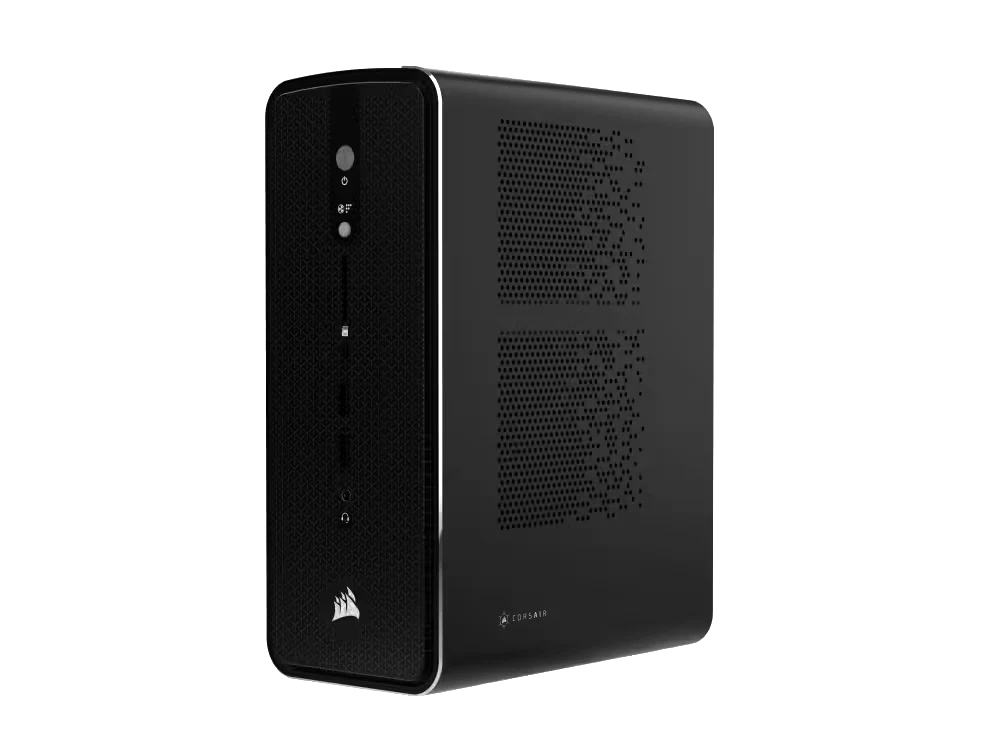
  • Strix Halo
    • Competitor to DGX Spark
    • RX8060S and 128GB unified memory
    • Price competitive
    • Multiple vendors (HP, Corsair, Xiaomi)

Apple Silicon

  • Metal
    • Released in 2014, low-level graphics and compute API
  • MPS (Metal Performance Shaders)
    • Provides primitives for neural networks
    • PyTorch added device support for MPS in 2022
  • MLX
    • Providing NumPy-like API for Apple Silicon hardware

Apple Silicon - Hardware Support

  • Available on all M-series hardware
  • Unified memory by default
  • Up to 128GB on laptops and 512GB for the Mac Studio
  • Non-portable models (MLX format)

NPUs (Neural Processing Units)

  • Specialized AI accelerators, designed for lower power devices
    • Smartphones, IoT, embedded systems
  • Optimized specifically for NN operations (e.g., matmul, convolutions, activations)
  • 15-80 TOPS common for NPUs (~10x less than desktop PCI-based GPUs)

Discovering Open-Source Models

Closed vs. Open-Source Models

  • Closed Source:
    • OpenAI GPT-5, Claude Sonnet/Opus, Google’s Gemini
    • Very large models; often referred to as foundational models or frontier models
    • Hosted by the vendors
    • No ability to download the models
    • No ability to inspect the weights of the models

Closed vs. Open-Source Models

  • Open Weight:
    • Meta’s Llama, Google’s Gemma, Alibaba’s Qwen, OpenAI gpt-oss-120b
    • Range from small to medium in size (1Gb - 500Gb+)
    • Downloadable model files
    • Model files are pre-trained weights, but no training data
    • No training data == No ability to recreate the model from scratch

Closed vs. Open-Source Models

  • Open Source:
    • You can download the model files with pre-trained weights and the training data used to train it
    • i.e., you could create the model from scratch
    • Examples: AI2’s OLMo, NVIDIA Nemotron

Discovering Open-Source Models

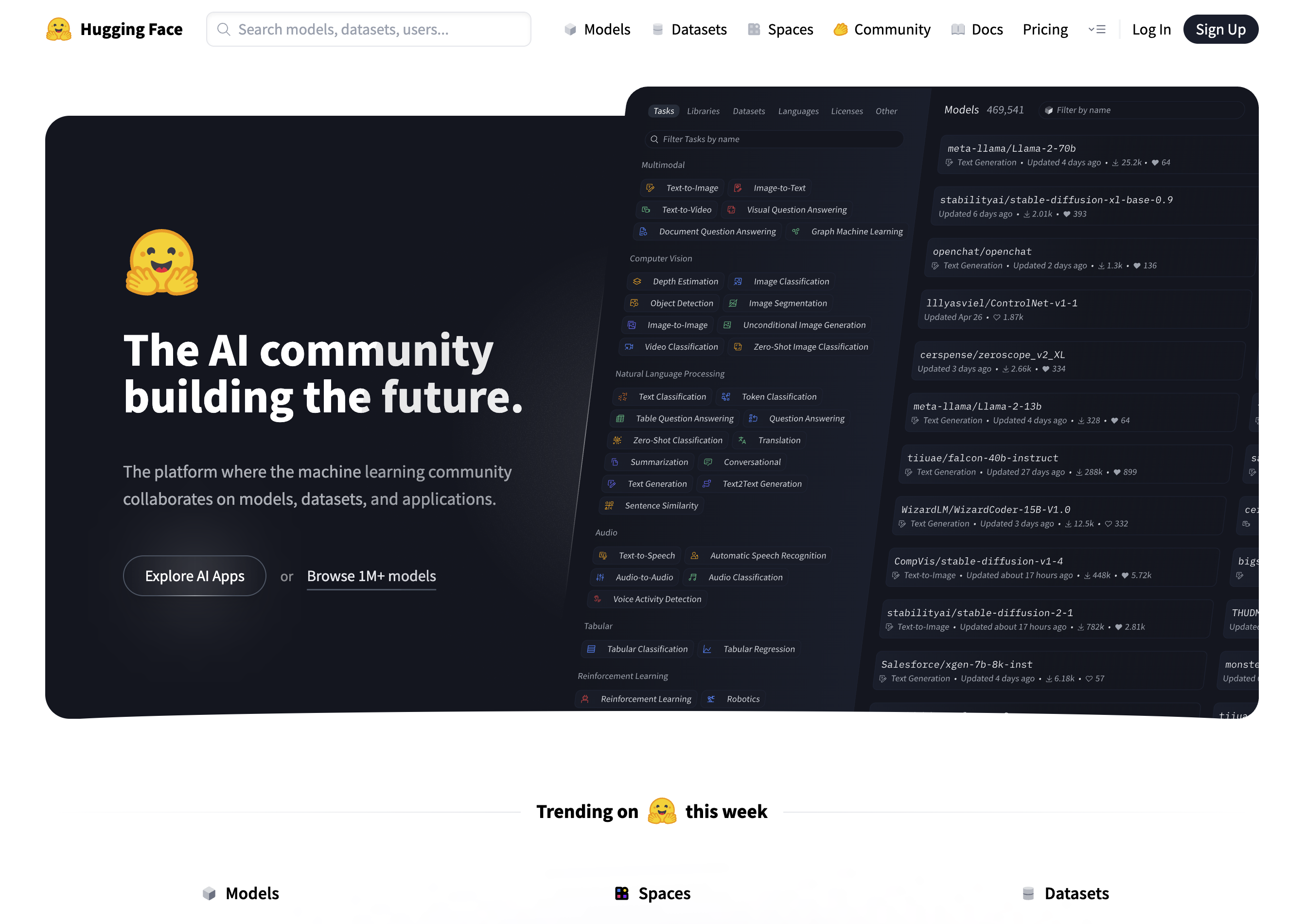
Source: https://huggingface.co

What is Hugging Face?

  • It is to AI models what GitHub is to source code
    • Explore, download models to run on local hardware
    • Upload and share your own trained/fine-tuned models and datasets
    • Create “Spaces” - hosted web-based apps for accessing models

Demo

Exploring google/gemma-3-27b-it on Hugging Face

Introducing Quantization

Introducing Quantization

  • Roughly speaking, the size of the model file dictates how much VRAM (or unified memory) you need
    • 55Gb model ~= 55Gb of VRAM
  • What if we don’t have that much?

Introducing Quantization

  • Two ways to shrink a model:
    • Reduce the number of weights
    • Reduce the precision of the weights (quantization)
  • Number of weights matters more than precision
    • A 70B model at 4-bit will often beat a 13B model at 32-bit
    • The model’s knowledge remains largely intact

Let’s Visualize This!

Simulating 35B parameters at FP32 (9.38Mb)

Let’s Visualize This!

Simulating 27B parameters at FP32 (5.70Mb)

Let’s Visualize This!

Simulating 9B parameters at FP32 (1.90Mb)

Let’s Visualize This!

Simulating 4B parameters at FP32 (0.84Mb)

Let’s Visualize This!

Simulating 2B parameters at FP32 (0.41Mb)

Let’s Visualize This!

Simulating 0.8B parameters at FP32 (0.16Mb)

Let’s Visualize This!

Simulating 35B parameters at FP32 (9.38Mb)

Let’s Visualize This!

Simulating 35B parameters using Q8_0 (8-bit) Quantization (2.49Mb)

Let’s Visualize This!

Simulating 35B parameters using Q4_0 (4-bit) Quantization (1.32Mb)

Let’s Visualize This!

Simulating 35B parameters using Q2 (2-bit) Quantization (0.73Mb)

Quantization Formats

  • GGUF (GPT-Generated Unified Format):
    • Runs on all platforms (NVIDIA, AMD, Apple)
    • unsloth community on HF hosts quantized versions of popular models
    • Multiple quantization schemes (Q4_K_M, Q5_K_S, Q6_K, etc.)

Quantization Formats

  • MLX:
    • Apple-only
    • Offers better performance on Mac (compared to GGUF)
    • mlx-community on HF hosts MLX-quantized versions of popular models
    • 4bit and 8bit support

Demo

Exploring unsloth/gemma-3-27b-it-GGUF and mlx-community/gemma-3-27b-it-qat-4bit on Hugging Face

Running GGUF and MLX Models

Introducing llama.cpp

  • https://github.com/ggml-org/llama.cpp
  • C/C++ library; download (brew, nix, winget) or compile from source
  • Initially just a CLI, but now ships with Web UI and OpenAI API compatible server
  • Can reference a locally downloaded .gguf file or pull one from HF

llama.cpp Wrappers

  • LM Studio (https://lmstudio.ai)
    • Desktop GUI wrapper around llama.cpp
    • Supports browsing/downloading of models from HF - i.e., “iTunes for LLMs”
    • In-built chat interface and API server

Demo

Browsing, downloading, and running Gemma3-27B on LM Studio

Other Models

Other Models

  • Local models are not limited to text generation
    • Image Models:
      • Image generation models tend to be large
      • Many VLM (Vision Language Models) work well offline
    • Audio Models:
      • ASR (Automatic Speech Recognition)
      • TTS (Text-To-Speech)

Demo

Vision Processing using local Gemma3-27B

Demo

A local Qwen TTS model working alongside Gemma3-27B

How About Coding?

How About Coding?

  • OpenCode is an open-source, terminal-based AI coding agent
    • Runs entirely locally using any OpenAI-compatible API server (e.g., LM Studio)
    • Reads and edits files, runs shell commands, and iterates on code
  • Model-agnostic Swap in any local model (Qwen, DeepSeek, Llama, etc.) via a config file

Introducing MoE (Mixture of Experts)

  • Original concept dates back to 1991. Jacobs et al. publish “Adaptive Mixture of Local Experts” (Jacobs et al. 1991) showing subnetworks and a gating mechanism
  • 2023: Mixtral 8x7B (Mistral AI) brings high-quality open-source MoE to the mainstream, becoming a standard architecture for efficient large-scale models

How MoE Works

  • Multiple layers contain multiple experts
  • Routing layer is trained to route tokens to the expert best suited to decode
  • The experts are “activated” for each token
  • 30B model with 3B active
  • Reduces latency of generating tokens, especially for larger models

Demo

Exploring Qwen/Qwen3.5-35B-A3B-GGUF on Hugging Face

Demo

Running OpenCode with Qwen3.5-35B-A3B local model

Benchmarks

Qwen3.5 vs Frontier Models

Benchmark Qwen3.5-27B GPT-5-mini GPT-OSS-120B
MMLU-Pro 86.1% 83.7% 80.8%
GPQA Diamond 85.5% 82.8% 80.1%
SWE-bench Verified 72.4% 72.0% 62.0%
LiveCodeBench v6 80.7% 80.5% 82.7%

Gemma 4 vs Frontier Models

Benchmark Gemma 4 31B Gemini 2.5 Pro Claude 4 Opus
MMLU-Pro 85.2%
GPQA Diamond 84.3% 86.4% 79.6%
LiveCodeBench v6 80.0% 72.5% 48.9%
AIME 2026 89.2%

Qwen3 Coding vs SOTA (SWE-bench)

Model SWE-bench Verified Open?
Claude Opus 4.5 77.8% No
Qwen3.5-27B 72.4% Yes
Claude Sonnet 4 70.4% No
Qwen3-Coder (480B) 69.6% Yes
GPT-OSS-120B 62.0% Partially

Conclusion

  • The case for running AI models locally
  • Hardware requirements
  • Discovering and running models
  • Optimizing models for running locally
  • Benchmarks

Thank you!

Bibliography

Bibliography

Jacobs, Robert A., Michael I. Jordan, Steven J. Nowlan, and Geoffrey E. Hinton. 1991. “Adaptive Mixtures of Local Experts.” Neural Computation 3 (1): 79–87.