Architecting for Generative AI
Simon Guest
Introduction
- Simon Guest
- 25+ Years Shipping Software, including:
- 10 Years at Microsoft (Developer Division)
- 4 Years at Amazon (AWS and Transportation)
- 4 Years at SAP Concur (Travel and Expense)
- 3 Years at Neudesic/IBM (Mobile App Development)
- Advisor to Tola Capital (VC Firm in Seattle)
- Former Chief Technology Officer at Code.org
- Adjunct Professor of AI at DigiPen Institute of Technology
Generative AI in the US: Current Trends
- Majority of VC Investment
- IPOs on the horizon: OpenAI, Anthropic, Perplexity
- Three Trends:
- “Token maxxing” and cost
- “Moat protection” for startups
- Robotics
- Backdrop of Layoffs
- AI vs. Over-hiring/ZIR
Agenda
- Architecting for Generative AI
- Best practices for using LLM APIs
- Hosted, closed models vs. local, open-source models
- Agents: SDKs and tools
- AI Coding Best Practices
- Scaffolding new repos for coding agents
- Coding agent best practices
- Future: Local coding models
Discussion Encouraged!
Best Practices for LLM APIs
OpenAI Chat Completions API
- 2020: OpenAI launched GPT-3 API with a
/completionsendpoint.- First major LLM API
- 2022: ChatGPT launch; massive adoption
- 2023
/chat/completionsendpoint released, becomes the dominant interface - 2023-2024: Other providers use the same API format for their own models vs. inventing their own
- Build on the OpenAI developer ecosystem
- “OpenAI-compatible” became a selling point
OpenAI Chat Completions API
- Widely used:
- Anthropic (Claude API is very similar, with minor differences)
- OpenRouter, an inference provider for many models
- Open source tools: LiteLLM, LangChain
- Local serving: Ollama, vLLM, llama.cpp are all “OpenAI-compatible”
Using the Chat Completions API
Using the Chat Completions API
response = client.chat.completions.create(
    model="gpt-5",
    messages=[
        {"role": "system", "content": "You help travelers make plans for their trips."},
        {"role": "user", "content": "Hello"},
        {"role": "assistant", "content": "Hi there!"},
        {"role": "user", "content": "What should I do on my upcoming trip to Paris?"},
    ],
)
=== REQUEST ===
URL: https://api.openai.com/v1/chat/completions
Method: POST

Body:
{
  "messages": [
    {
      "role": "system",
      "content": "You help travelers make plans for their trips."
    },
    {
      "role": "user",
      "content": "Hello"
    },
    {
      "role": "assistant",
      "content": "Hi there!"
    },
    {
      "role": "user",
      "content": "What should I do on my upcoming trip to Paris?"
    }
  ],
  "model": "gpt-5"
}
==================================================
Using the Chat Completions API
=== RESPONSE ===
{
  "id": "chatcmpl-CuVn7EYuGJUEUEQ18Cl0SM2nNz9Mj",
  "choices": [
    {
      "finish_reason": "stop",
      "index": 0,
      "logprobs": null,
      "message": {
        "content": "Awesome! I can tailor a plan, but a few quick questions help:\n- When are you going and for how many days?\n- First time in Paris?\n- Main interests (art, food, fashion, history, photography, nightlife, kid-friendly, etc.) and preferred pace (relaxed vs. packed)?\n- Any must-sees or hard no’s?\n- Rough budget and food needs (vegetarian, kosher/halal, allergies)?\n- Where are you staying (neighborhood) and are day trips okay (Versailles, Champagne, Giverny, Disneyland)?\n\nIf you want a quick starter plan, here’s a flexible 4-day outline you can reshuffle by weather and museum closures:\n\nDay 1 – Islands + Latin Quarter\n- Île de la Cité: Notre-Dame exterior, Sainte-Chapelle (timed ticket), Conciergerie.\n- Stroll the Latin Quarter: Shakespeare & Company, Sorbonne, Luxembourg Gardens.\n- Evening: Seine cruise or sunset along the river.\n\nDay 2 – Louvre to Arc de Triomphe\n- Morning: Louvre (timed entry). Tuileries and Palais-Royal gardens.\n- Covered passages (Véronique/Grand Cerf/Jouffroy) and Opéra Garnier.\n- Sunset view: Arc de Triomphe rooftop or Galeries Lafayette/Printemps terrace.\n\nDay 3 – Montmartre + Left Bank art\n- Montmartre: Sacré-Cœur, Place du Tertre, quieter backstreets (Rue de l’Abreuvoir).\n- Afternoon: Musée d’Orsay and/or Orangerie.\n- Evening: Saint-Germain wine bar or jazz.\n\nDay 4 – Le Marais or Day Trip\n- Marais walk: Place des Vosges, Musée Carnavalet, Picasso Museum (check hours), Jewish quarter, trendy boutiques.\n- Optional day trip: Versailles (palace + gardens; get the timed passport ticket).\n- Night: Eiffel Tower area (view from Trocadéro or Champ de Mars; book tower tickets if going up).\n\nOther great adds by interest\n- Art/architecture: Rodin Museum; Bourse de Commerce; Fondation Louis Vuitton. Note: check Centre Pompidou’s renovation status.\n- Food: Morning market (Aligre or Rue Cler), cheese/wine tasting, pastry crawl, bistro lunch, cooking class.\n- Unique: Catacombs (book ahead), Père Lachaise Cemetery, Canal Saint-Martin, covered markets (Le Marché des Enfants Rouges).\n- With kids: Jardin des Plantes (zoo + galleries), Cité des Sciences, Jardin d’Acclimatation, Parc de la Villette.\n- Day trips: Giverny (Apr–Oct), Reims/Epernay for Champagne, Fontainebleau, Auvers-sur-Oise, Disneyland Paris.\n\nBook these in advance\n- Eiffel Tower, Louvre, Sainte-Chapelle, Catacombs, Versailles, Palais Garnier tours, popular restaurants.\n- Consider the Paris Museum Pass (2/4/6 days) if you’ll visit several museums; the Louvre still needs a timed reservation even with the pass.\n\nPractical tips\n- Closures: Many museums close one day/week (e.g., Orsay Mon, some Tue). Check hours.\n- Getting around: The Métro is fastest. Use a contactless bank card to tap in, or get a reloadable Navigo Easy. For a Monday–Sunday stay with lots of rides, a Navigo Découverte weekly pass can be good value.\n- Dining: Reserve for dinner, especially weekends. Tipping is minimal (service included); round up or leave 5–10% for great service.\n- Safety: Watch for pickpockets in crowded areas and on the Metro.\n\nShare your dates, length of stay, and interests, and I’ll turn this into a detailed day-by-day plan with mapped routes and restaurant picks near each stop.",
        "refusal": null,
        "role": "assistant",
        "annotations": [],
        "audio": null,
        "function_call": null,
        "tool_calls": null
      }
    }
  ],
  "created": 1767584609,
  "model": "gpt-5-2025-08-07",
  "object": "chat.completion",
  "service_tier": "default",
  "system_fingerprint": null,
  "usage": {
    "completion_tokens": 2224,
    "prompt_tokens": 44,
    "total_tokens": 2268,
    "completion_tokens_details": {
      "accepted_prediction_tokens": 0,
      "audio_tokens": 0,
      "reasoning_tokens": 1408,
      "rejected_prediction_tokens": 0
    },
    "prompt_tokens_details": {
      "audio_tokens": 0,
      "cached_tokens": 0
    }
  }
}
Chat History Management
- Key Considerations
- Models don’t hold any state
- API sends full conversation on every request and the model reads through the full conversation on every call
- The size of the conversation is known as the context
- The maximum size the model can process is referred to as the context window
Chat History Management
- Context window sizes
- GPT-2 = 2048 tokens
- Today’s nano models ~= 32k tokens
- Today’s small models ~= 120k tokens
- Today’s frontier models ~= 1M tokens
- Large conversations can cause challenges
- They are expensive (you pay per token for whole conversation every time)
- Small models often forget early details in long conversation histories
Chat History Management
- Mitigation Strategies
- Remove older messages from the history
- Implement sliding window across the conversation history
- Summarize older messages and rewrite the history (compacting)
Token Streaming
- When calling hosted models, responses can take a few seconds to be returned
- Not the best user experience, especially for consumer products
- Need a way to support streaming of tokens as they are generated (a.k.a. “typewriter effect”)
- Streaming added to Chat Completions API in early 2023
- Supported by other major vendors (Anthropic, Cohere, etc.)
- Now expected as a baseline feature
How Does Token Streaming Work?
- Uses SSE (Server-Sent Events)
- Unidirectional (server to client)
- Uses standard HTTP/1.1 or HTTP/2
- Server sends a response with a
text/event-streamMIME type - Client uses built-in
EventSourceAPI to open the connection, listen to messages, and handle events.
SSE Data Format
data: {"choices":[{"delta":{"content":"Hello"}}]}

data: {"choices":[{"delta":{"content":" world"}}]}

data: [DONE]
Data sent as chunks, prefixed with data: and separated by double newlines
Implementing Token Streaming
MODEL = 'openai/gpt-5.2-chat' #@param ["openai/gpt-5.2-chat", "anthropic/claude-sonnet-4.5", "google/gemini-2.5-pro"]

response = client.chat.completions.create(
    model=MODEL,
    messages=[
        {"role": "system", "content": "You help travelers make plans for their trips."},
        {"role": "user", "content": "Hello"},
        {"role": "assistant", "content": "Hi there!"},
        {"role": "user", "content": "What should I do on my upcoming trip to Paris?"},
    ],
    stream=True, # Enable streaming
)

# Iterate through the stream and print each token as it arrives
for chunk in response:
    # Each chunk contains a delta with the new content
    if chunk.choices[0].delta.content is not None:
        token = chunk.choices[0].delta.content
        print(token, end='', flush=True)
Structured Output
- By design, LLMs generate non-structured output (i.e., free-form text)
- Sometimes, paragraph. Sometimes, numbered list.
- “What are the GPS coordinates for Paris?”
- “48.8566, 2.3522”
- “You can find Paris at lat: 48.8566 long: 2.3522”
- “The GPS coordinates of Paris are 48.8566 and 2.3522”
- But often, you need structure - e.g., a JSON object
Structured Output
- You can try to use the system prompt…
- “Return the result in JSON only”
- But… it doesn’t always work
- Early/small models struggle with correct JSON formatting
- Even larger models make mistakes (e.g., missing closing brace)
- Sometimes the models just forget!
- “RETURN THE RESULT IN JSON ONLY. NO OTHER TEXT!!!”
Structured Outputs in OpenAI API
- Nov 2023: OpenAI added JSON mode
response_format: {"type": "json_object"}- Guaranteed valid JSON, but didn’t enforce schema
- Sometimes mixed up/missed fields
- Aug 2024: Structured Outputs launched
response_format: {"type": "json_object", ...}- 100% reliability that output matches the your schema
How Structured Outputs Work
- Constrained Decoding
- When generating responses, the model normally samples from all possible next tokens
- With constrained decoding, the next token is dynamically filtered to only allow tokens that keep the output schema valid
- e.g., if schema requires an integer, string tokens are masked out from the probability distribution
How Structured Outputs Work
- Runs on server (or in library) - not fine-tuning approach
- Slightly slower token generation due to computational overhead
- Technically, it’s mathematically impossible to generate invalid output
- (Real world: I see ~1:7000 error rates with GPT-5.1 chat)
Implementing Structured Outputs
Implementing Structured Outputs
MODEL = 'openai/gpt-5.2-chat' #@param ["openai/gpt-5.2-chat", "anthropic/claude-sonnet-4.5", "google/gemini-2.5-pro"]

response = client.chat.completions.parse(
    model=MODEL,
    messages=[
        {"role": "user", "content": "What are the GPS coordinates for Paris?"},
    ],
    response_format=Location
)

completion = response.choices[0].message
print(completion)
ParsedChatCompletionMessage[Location](content='{"name":"Paris","country":"France","latitude":48.8566,"longitude":2.3522}', refusal=None, role='assistant', annotations=None, audio=None, function_call=None, tool_calls=None, parsed=Location(name='Paris', country='France', latitude=48.8566, longitude=2.3522), reasoning=None)Implementing Structured Outputs
{"name":"Paris","country":"France","latitude":48.8566,"longitude":2.3522}
name='Paris' country='France' latitude=48.8566 longitude=2.3522
Paris, France has GPS coordinates of 48.8566, 2.3522
Q&A
Hosted Models vs. Local Models
Why Local AI?
- Privacy
- Every call to ChatGPT or Claude may get logged and/or be used for training purposes
- Many organizations don’t want their customer/financial data logged with an AI vendor
- There may also be legal regulations/restrictions
Why Local AI?
- Offline
- Every call you make to ChatGPT or Claude needs an Internet connection
- That’s not always guaranteed!
- e..g, a remote school in India and/or when phone is in airplane mode
Why Local AI?
- Latency
- Even with a network connection, calls can suffer from increased latency
- Especially if your application needs frequent, quick responses
- e.g., using a VLM on a video stream for a user with vision impairments
Why Local AI?
- Cost
- While per-API costs are fractions of a cent, these can grow out of control with exponential growth
- More pronounced for long conversation threads
- Or agents with verbose tool call requests/responses
Closed vs. Open-Source Models
- Closed Source:
- OpenAI GPT-5, Claude Sonnet/Opus, Google’s Gemini
- Very large models; often referred to as foundational models or frontier models
- Hosted by the vendors
- No ability to download the models
- No ability to inspect the weights of the models
Closed vs. Open-Source Models
- Open Weight:
- Meta’s Llama, Google’s Gemma, Alibaba’s Qwen, OpenAI gpt-oss-120b
- Range from small to medium in size (1Gb - 500Gb+)
- Downloadable model files
- Model files are pre-trained weights, but no training data
- No training data == No ability to recreate the model from scratch
Closed vs. Open-Source Models
- Open Source:
- You can download the model files with pre-trained weights and the training data used to train it
- i.e., you could create the model from scratch
- Examples: AI2’s OLMo, NVIDIA Nemotron
Introducing Quantization
- Roughly speaking, the size of the model file dictates how much VRAM (or unified memory) you need
- 55Gb model ~= 55Gb of VRAM
- What if we don’t have that much?
Introducing Quantization
- Two ways to shrink a model:
- Reduce the number of weights
- Reduce the precision of the weights (quantization)
- Number of weights matters more than precision
- A 70B model at 4-bit will often beat a 13B model at 32-bit
- The model’s knowledge remains largely intact
Let’s Visualize This!

Simulating 35B parameters at FP32 (9.38Mb)
Let’s Visualize This!

Simulating 27B parameters at FP32 (5.70Mb)
Let’s Visualize This!

Simulating 9B parameters at FP32 (1.90Mb)
Let’s Visualize This!

Simulating 4B parameters at FP32 (0.84Mb)
Let’s Visualize This!

Simulating 2B parameters at FP32 (0.41Mb)
Let’s Visualize This!

Simulating 0.8B parameters at FP32 (0.16Mb)
Let’s Visualize This!
Simulating 35B parameters at FP32 (9.38Mb)
Let’s Visualize This!

Simulating 35B parameters using Q8_0 (8-bit) Quantization (2.49Mb)
Let’s Visualize This!

Simulating 35B parameters using Q4_0 (4-bit) Quantization (1.32Mb)
Let’s Visualize This!

Simulating 35B parameters using Q2 (2-bit) Quantization (0.73Mb)
Quantization Formats
- GGUF (GPT-Generated Unified Format):
- Runs on all platforms (NVIDIA, AMD, Apple)
- unsloth community on HF hosts quantized versions of popular models
- Multiple quantization schemes (Q4_K_M, Q5_K_S, Q6_K, etc.)
Quantization Formats
- MLX:
- Apple-only
- Offers better performance on Mac (compared to GGUF)
- mlx-community on HF hosts MLX-quantized versions of popular models
- 4bit and 8bit support
Demo
LM Studio running google/gemma-3-27b
Q&A
Agents: SDKs and Tools
Why Agents?
- Limitations of chatbots
- Needs constant human input every turn; No ability to plan beyond a single interaction
- Single model with single context (conversation)
- No ability to interact with external systems
Five Characteristics of Agents
- Agents are Planners
- Agents are driven by goals
- And they can put together a plan for the steps to complete that goal.
- “First, I will discover where course information is located”
- “Then I will search for any courses that reference FLM201”
- “Then I summarize all of the key points for the student”
Five Characteristics of Agents
- Agents are Autonomous
- Agents can then go off and execute the plan, independent of human input
- The concept of “human in the loop” still applies for confirmation
- e.g. “Do you really want to place this order?”
Five Characteristics of Agents
- Agents are Reactive
- Agents can change mid-course depending on what they find and/or the environment.
- e.g. “I couldn’t find any course information on FLM201. I’m going to check if there are other 200-level FLM courses before responding to the student.”
Five Characteristics of Agents
- Agents have Persistence
- Agents often have memory systems beyond the current conversation
- Broadly classified as short and long-term memory
- Short-term memory could be your order request at the Bytes cafe
- Long-term memory could be your food preferences
Five Characteristics of Agents
- Agents can Interact with external systems
- Agents can delegate to other agents for complex tasks
- (Or for tasks where other agents are better suited for.)
- e.g., Campus Agent -> delegating to a Course Agent
- Agents can also be given access to external tools
- e.g., File search, Web search, access to the Bytes Cafe API
OpenAI Agents SDK
- Announced in Mar 2025
- Together with web search, file search, and computer use
- And a new Responses API (formerly Assistants API)
OpenAI Agents SDK
- Created to address the gap between chat completions (what we were using last week) and multi-step systems
- vs. building your own, which a lot of developers were doing at the time
- Integrates function calling, handoffs, and session management in the same package
- Supports Python and TypeScript; MIT licensed
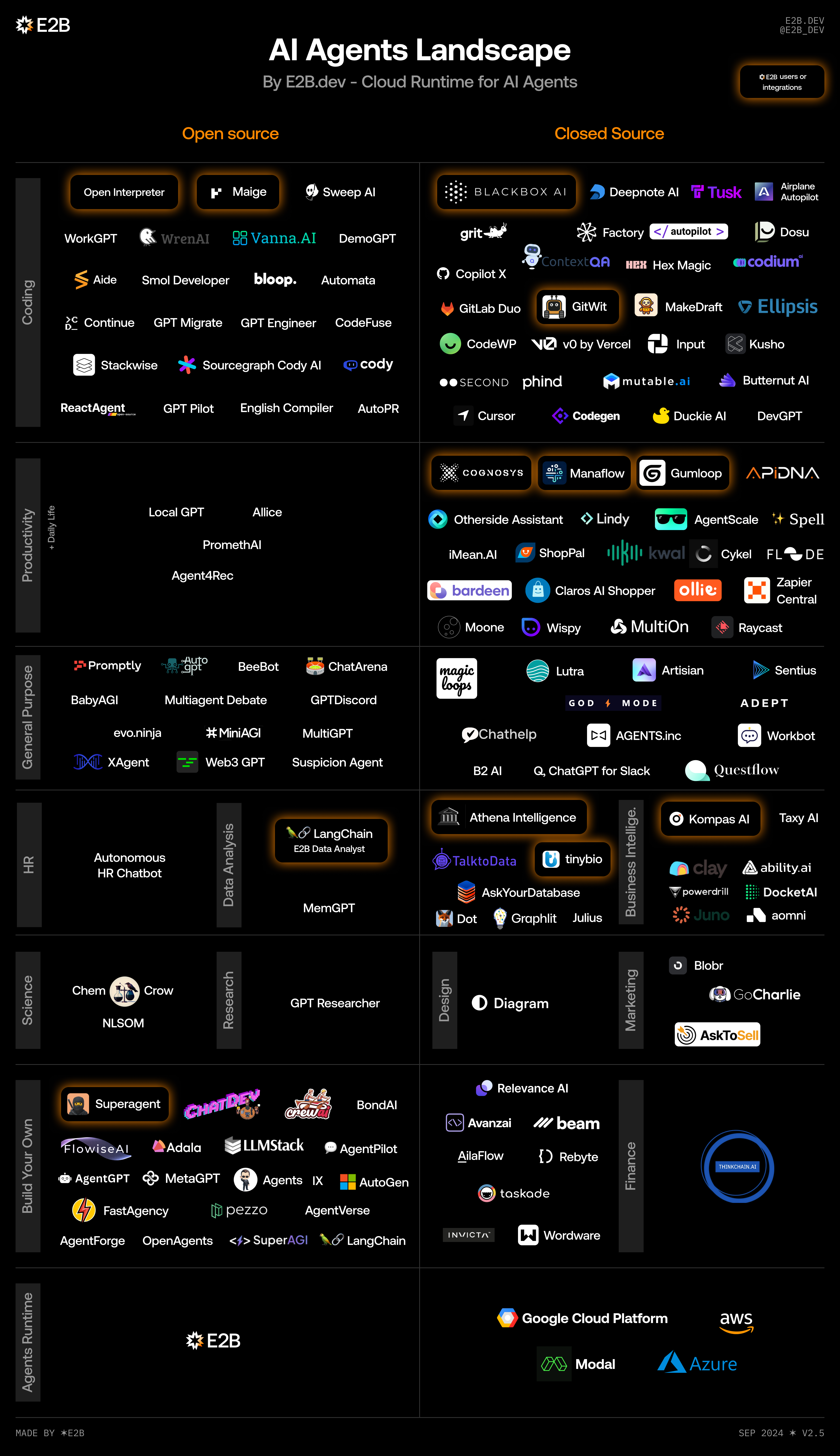
Not the only Agent SDK in town!
Source: https://e2b.dev
LangGraph
- https://langchain-ai.github.io/langgraph/
- Python only
- MIT License
- One of the first agent frameworks, building on LangChain
- IMO, too abstract/complex/bloated
Crew.ai
- https://github.com/crewaiinc/crewai
- Python only
- One of the more popular commercial offerings
- (Although they do have an MIT License/freemium model)
Microsoft
- AutoGen
- https://microsoft.github.io/autogen/stable/
- Python (.NET coming soon)
- MIT License
- Microsoft Semantic Kernel
- https://github.com/microsoft/semantic-kernel
- Python, .NET, Java
- MIT License
Hermes
- Open-source, self-hosted AI agent framework by Nous Research (Feb 2026)
- Runs on your own infrastructure and connects to any LLM
- Closed learning loop: after completing a task, writes a reusable skill. i.e., gets smarter over time
- Long-term semantic memory + episodic logs enable genuine recall across sessions
- 64K+ GitHub stars; supports Telegram, Discord, Slack, WhatsApp, Signal, CLI via a single gateway
pi.dev
- Minimal, open-source terminal-based coding agent harness by Mario Zechner (Aug 2025, MIT License)
- Core engine powering OpenClaw, which hit 145K+ GitHub stars in its first week
- Ships with a deliberately lean toolset: Read, Bash, Edit, Write, Find, LS — extend with your own skills
- Any app can create an
AgentSession, configure tools and context, and run agent conversations
Why Do Agents Need Tools?
- The scope of the agent’s ability is contained within the model
- Tools enable the agent to reach out to systems beyond the model
- Examples
- Read a file from disk or search the web (built in)
- Calculator (because LLMs aren’t great at math)
- Code interpreter (running code on the fly)
OpenAI Tool Calling
- Introduced by OpenAI in June 2023
- Originally called Function Calling
- Models are fine-tuned to return a structured function_call JSON object, specifying which function to call and with what arguments.
- Tools are provided as functions
- Option for the LLM to decide when to call the tool (always, never, auto)
Beyond Tool Calling
- Tool calling is super useful, but…
- You need to write the function(s) yourself
- And then expose them to OpenAI using the
@function_toolmethod
- What if there was a way to standardize this?
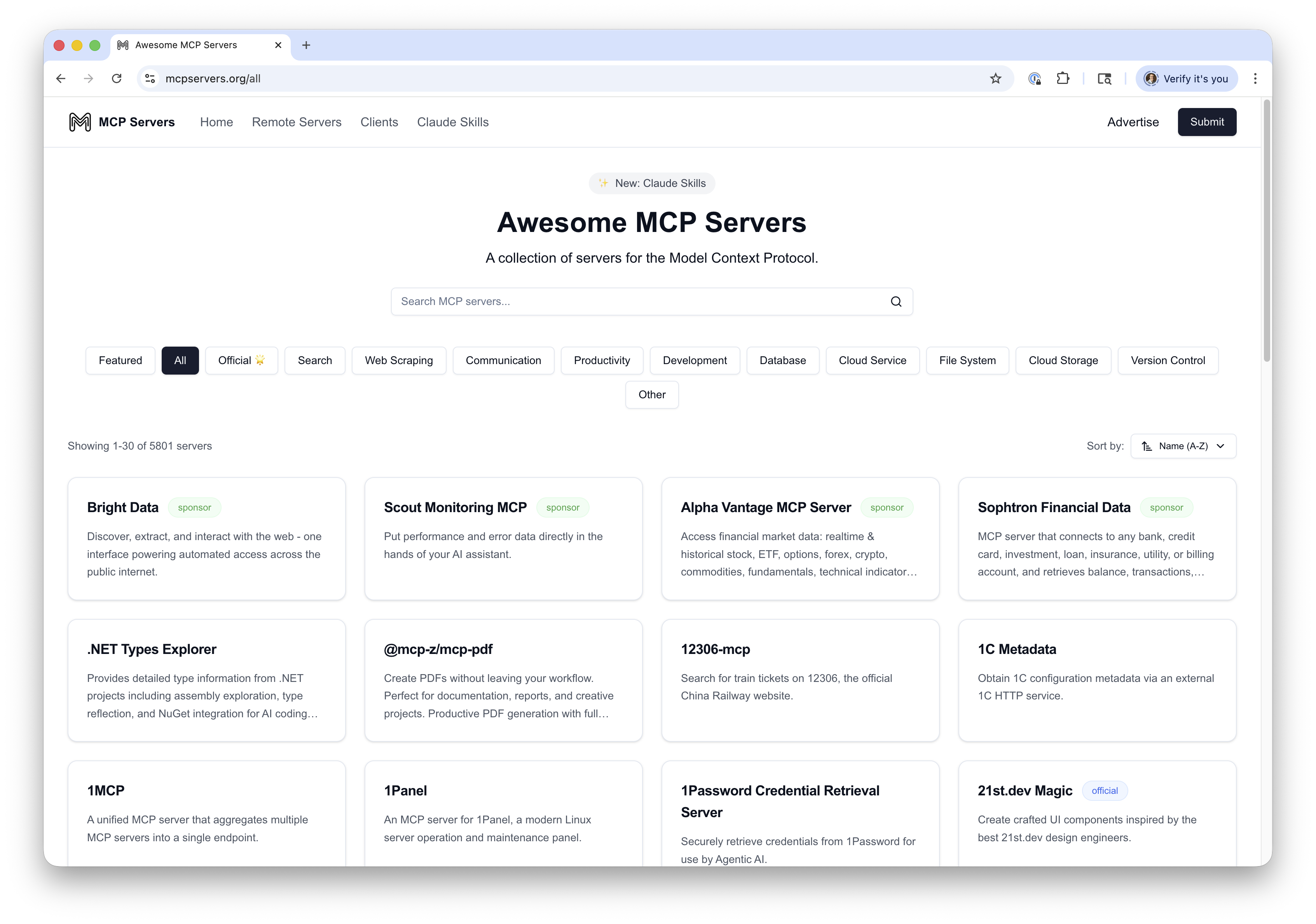
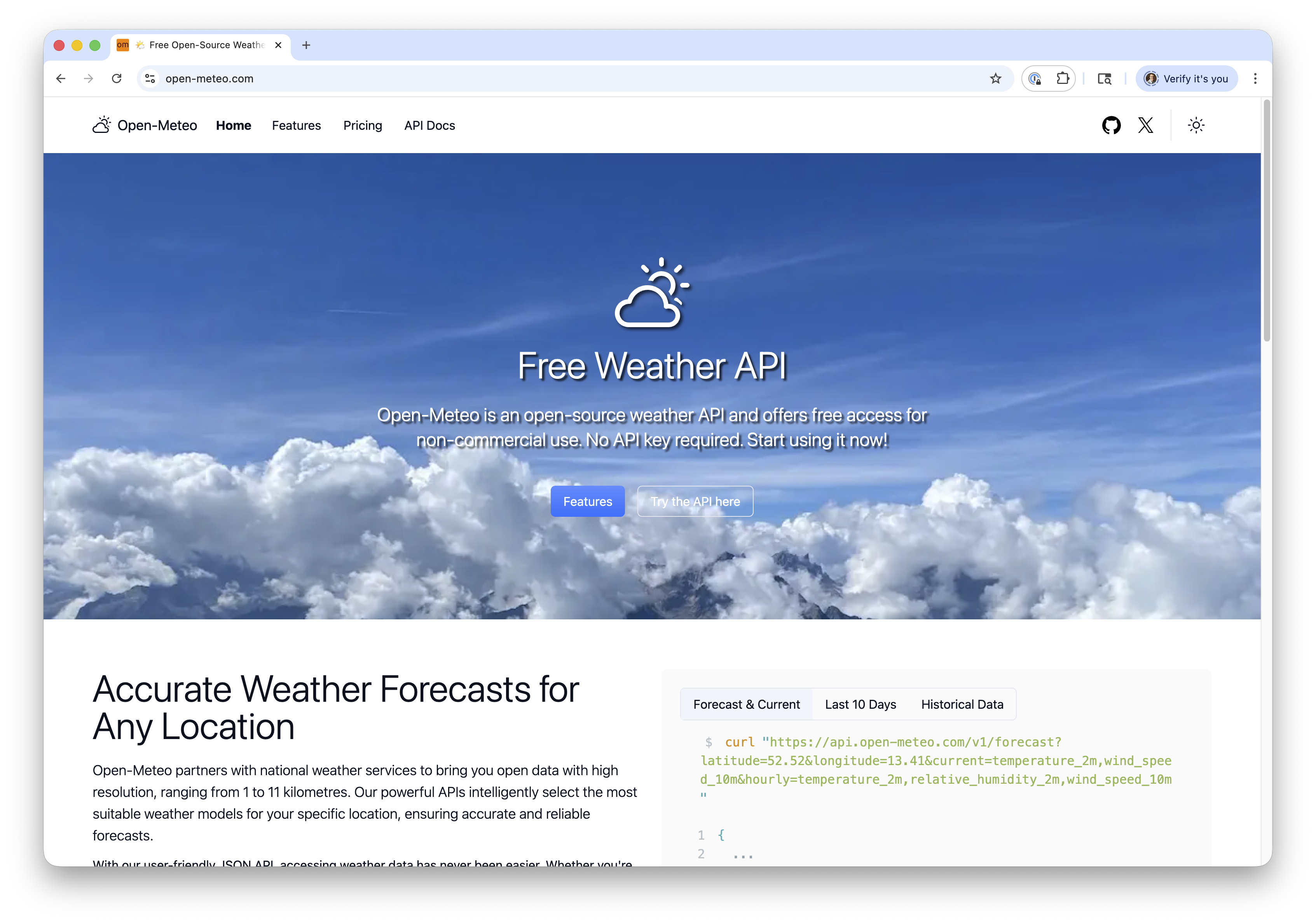
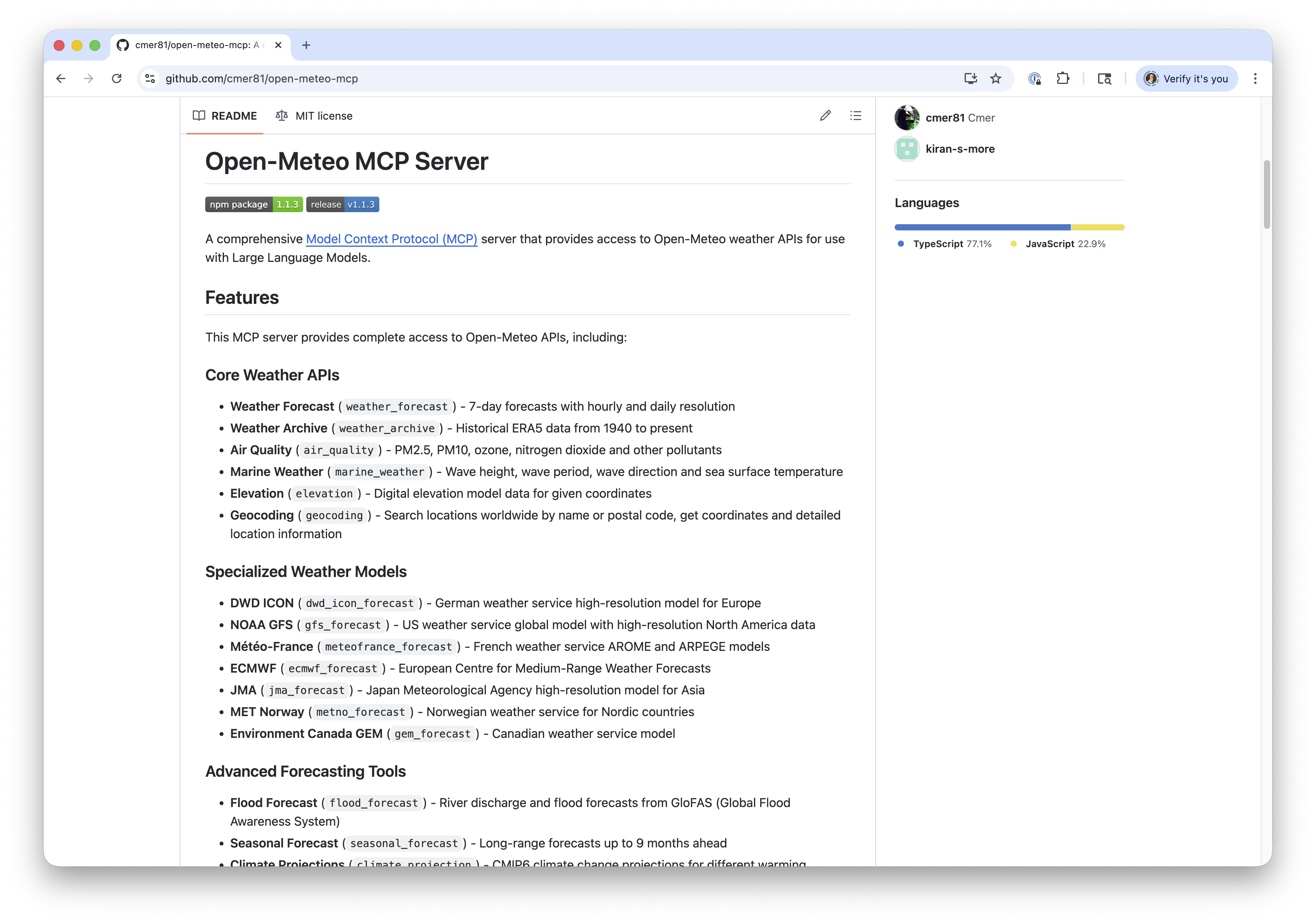
MCP (Model Context Protocol)
- Released by Anthropic in Nov 2024
- Provides a standard interface for tools - akin to a USB standard for peripherals
- Implementations are known as “MCP servers”
- A server exposes one or more tools (functions)
- Uses JSON-RPC 2.0 as underlying RPC protocol
- Servers can run remotely over HTTP (supports SSE)
- Or can be hosted locally and accessed via stdio
- Many servers hosted using Node.js
MCP (Model Context Protocol)
MCP (Model Context Protocol)
MCP (Model Context Protocol)
Q&A
AI Coding Best Practices
A Brief History
- Initial “coding agents” (i.e., first version of GitHub Copilot - mid-2022) were basic:
- Glorified auto-complete
- Very limited agent interactions
- Many context limit challenges - i.e., trying to understand the whole of the repo in window
A Brief History
- The harness changed everything (2023–present)
- Cursor, Aider, Devin: agents that could read files, make edits, and run tests
- Context windows grew from 4k → 128k → 1M+ tokens — agents can now see entire codebases
- Claude Code, GitHub Copilot Agent Mode: multi-step reasoning, not just one-shot suggestions
- Less about the model, more about the underlying harness
Scaffolding New Repos
- Two camps: Hands-Off (Vibe-coding) vs. Hands-On (Powertool)
- Hands-Off approach can be tempting:
- Create an issue in GitHub, send an agent to work on it, direct from your mobile phone
- But, IMO you lose control of the architecture
- Analogy to the Winchester Mystery House
Scaffolding New Repos

Scaffolding New Repos
- I prefer “Powertool” approach (what I recommend to my students)
- Hand-build the architecture / frame out the house
- Then use AI to fill in the details
Scaffolding New Repos

Scaffolding New Repos
- Mapping this to Claude Code
- CLAUDE.md should describe the architecture of the system (analogy: house frame)
- SKILL.md should describe each area that Claude can contribute to (analogy: working on each room)
Coding Agent Lifecycle
- Lifecycle: Plan, Act, Test,(Abort), Commit, Clear
Coding Agent Lifecycle
- Plan
- Write the specification for the feature
- Be descriptive, bullet points help
- Ask the agent to validate/question the approach
- “What questions and/or clarifications do you have?”
- Push back on things that seem incorrect
Coding Agent Lifecycle
- Act
- Once happy with the specification, implement
- Watch carefully for file changes/updates
- Correct approach mid-stream
- “I think there’s a 3rd party library for that…”
Coding Agent Lifecycle
- Test
- Test the feature locally / manually
- Build a complete test suite
- (Agents are really good at writing tests)
- Have the agent run it’s own tests after the feature
Coding Agent Lifecycle
- Abort
- Sometimes, things don’t work as expected!
- It can be challenging to fix before exhausting the context window
- And many coding agents will “spin out of control”
git stash, clear context (new session), update the feature spec, and restart
Coding Agent Lifecycle
- Commit
- Before committing to source control, have Claude self-update CLAUDE.md and create skills (if major new functionality)
- Review CLAUDE.md file often
- Auto-compact if approaching ~40K
Coding Agent Lifecycle
- Clear
- Once CLAUDE.md and feature is committed, clear context (
/newin Claude Code) - Analogy: 50 First Dates movie
- Once CLAUDE.md and feature is committed, clear context (
Future: Local Coding Models?
- OpenCode is an open-source, terminal-based AI coding agent
- Runs entirely locally using any OpenAI-compatible API server (e.g., LM Studio)
- Reads and edits files, runs shell commands, and iterates on code
- Model-agnostic Swap in any local model (Qwen, DeepSeek, Llama, etc.) via a config file
Demo
OpenCode running with local model
Qwen3.5 vs Frontier Models
| Benchmark | Qwen3.5-27B | GPT-5-mini | GPT-OSS-120B |
|---|---|---|---|
| MMLU-Pro | 86.1% | 83.7% | 80.8% |
| GPQA Diamond | 85.5% | 82.8% | 80.1% |
| SWE-bench Verified | 72.4% | 72.0% | 62.0% |
| LiveCodeBench v6 | 80.7% | 80.5% | 82.7% |
Gemma 4 vs Frontier Models
| Benchmark | Gemma 4 31B | Gemini 2.5 Pro | Claude 4 Opus |
|---|---|---|---|
| MMLU-Pro | 85.2% | — | — |
| GPQA Diamond | 84.3% | 86.4% | 79.6% |
| LiveCodeBench v6 | 80.0% | 72.5% | 48.9% |
| AIME 2026 | 89.2% | — | — |
Qwen3 Coding vs SOTA (SWE-bench)
| Model | SWE-bench Verified | Open? |
|---|---|---|
| Claude Opus 4.5 | 77.8% | No |
| Qwen3.5-27B | 72.4% | Yes |
| Claude Sonnet 4 | 70.4% | No |
| Qwen3-Coder (480B) | 69.6% | Yes |
| GPT-OSS-120B | 62.0% | Partially |
Q&A
Thank you!